
Emojis Are Hard
Bence's Unicode story: how an emoji guessing game became a tour through encodings, surrogate pairs, and asset pipelines.
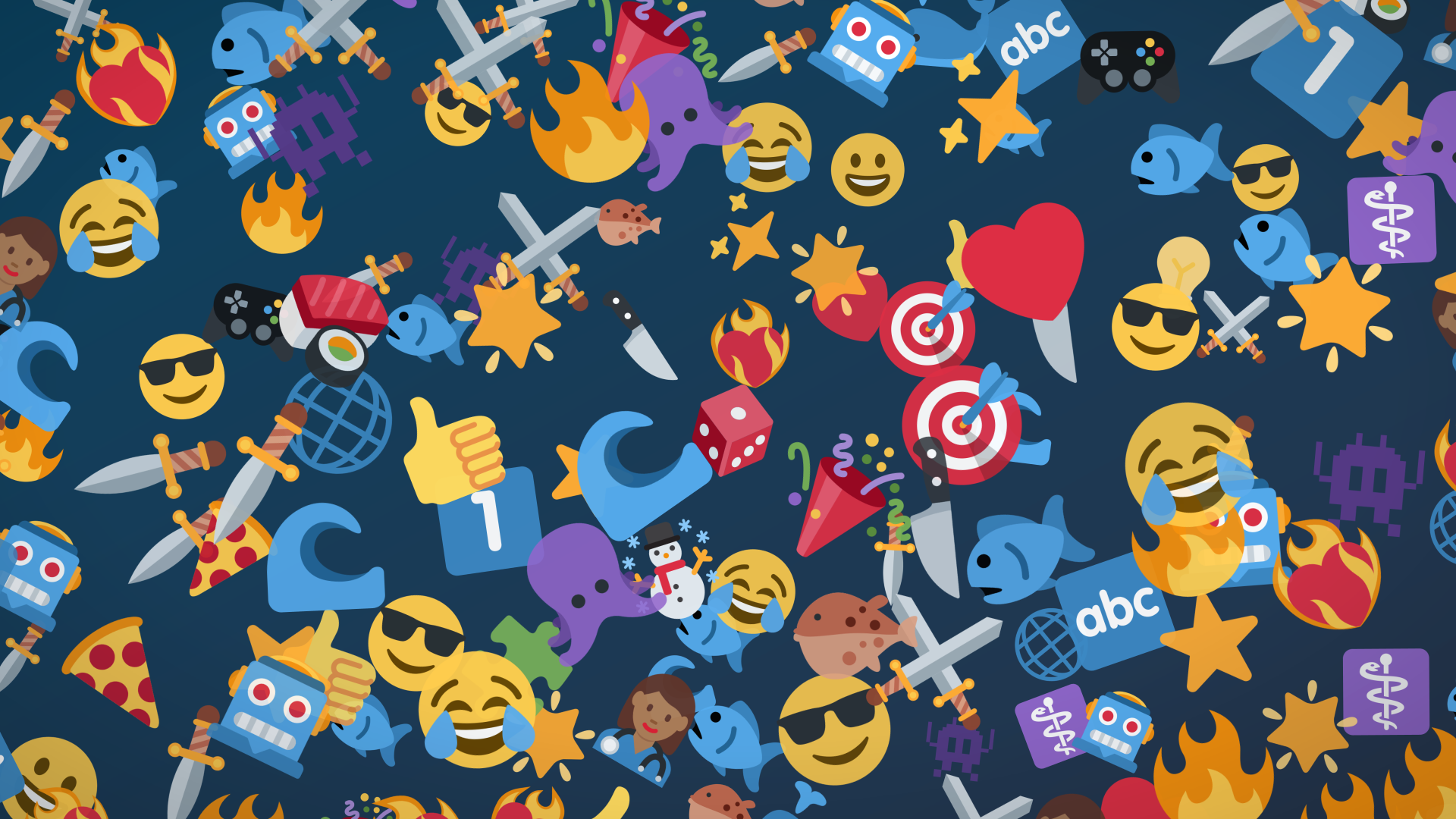
The brief
We were asked to build a guessing game made of emoji. The screen shows a few emoji that add up to a word or phrase, and the player has to say what it is:

A sword and a fish: swordfish. The player gets a smartphone or a voice-enabled microphone and a short window to call it out; we check the answer against the solution and, if it's close enough, award a score.
The puzzles and their answers lived in a spreadsheet. The real catch was getting the emoji themselves onto the screen: the device we were shipping on had no emoji support in text, and the built-in ones looked rough at high resolution - so we needed our own pack, something crisp and playful enough to carry a game. Getting that pack onto the screen, though, took a detour through the history of text encoding, a nasty surrogate-pair gotcha, and - eventually - a hand from an LLM.
A detour through character encodings
An emoji looks like a single character sitting in our spreadsheet, but it almost never is one - and the reasons why are exactly what made this project hard. To understand them, we have to back up all the way to how computers represent text at all.
In the beginning, computers and telecommunication devices used all kinds of ways to represent characters. The most commonly used ones were IBM's 6-bit BCDIC (the basis for the later 8-bit EBCDIC) and ITA2, but standards varied from machine to machine, from teleprinters through telexes to computers. Even IBM's own BCDIC was inconsistent between product lines. It's easy to picture how big of a mess that made. Of course, the problem was not evident immediately, since these devices were rarely connected to each other, but this meant that sending some text over telex wasn't an obvious task.
A new standard was needed, and that resulted in the creation of ASCII - the American Standard Code for Information Interchange. They were able to fit all the characters they needed in just 7 bits (fewer bits meant cheaper transmission, and the spare eighth bit of a byte was handy as a parity bit for error detection). The new standard carried over some ideas from the teleprinter world and added a few clever solutions too, for example the single bit upper-lower case flip.
For a long time, ASCII was fine for the use cases in the US, but it missed characters for non-English languages. The solution was to utilize the most significant bit and create the extended ASCII character sets. These were backwards compatible in the sense that the first 128 code points (32 control characters at the beginning, 95 printable ones, and the DEL character at 127) were exactly the same, but the upper half of the range was assigned to characters used in a specific region of the world.
This clearly created an issue. If I saved a file in an editor on a computer using the Latin-2 (ISO-8859-2, central European) code page and opened it on another computer with a Latin-1 code page, there was a high chance that characters were messed up (non-ASCII characters, of course). Same bytes, different representations.
A few engineers at the time from Xerox and Apple, frustrated by this issue, started to talk about implementing a better solution and they called it "Unicode". They aimed to use 16-bit codes instead of the 8-bit extended ASCII encodings used by most of the systems at the time, so one code point (an integer value) could represent one character, and that one character only. The result was Unicode. In parallel, ISO was working on another standard, the Universal Coded Character Set (UCS, ISO 10646), and rather than splitting the world into competing standards, the two efforts were merged into one "universal" standard and have been kept in sync ever since. The original fixed-length 16-bit encoding (UCS-2) later evolved into UTF-16, when 16 bits turned out not to be enough anymore (more on that later). By the way, this is why a single SMS holds 160 characters normally, but only 70 once you use a character outside the basic 7-bit alphabet: the whole message switches to UCS-2 (160 × 7 bits = 70 × 16 bits = 1120 bits).
A few years later, in 1991 they formed a new non-profit organization, the Unicode Consortium. Its task is to manage what gets added to the Unicode standard and what doesn't. They went on to standardize the UTF-16 and UTF-32 encodings, adopt UTF-8, and - among many other things this article is too short to cover - extend the Unicode character set with living and historic scripts, mathematical and engineering symbols, and, when Japanese mobile carriers made them unavoidable, emoji as well.
We have to make an important distinction, though: Unicode itself is the standard of what integer numbers are assigned to what characters. It's purely numbers and their suggested representations, nothing more. The standards I've mentioned earlier (UTF-8, UTF-16, and the older UCS-2) are encodings; they are the standards describing how we actually store this information. Unicode is the theory, UTF is the practice.
So what is an emoji, really?
I'd love to say that Emojis are just like other characters in the Unicode standard, but that wouldn't cover the whole picture. Emojis are the weirdest addition to the Unicode standard; there are special ways to extend the meaning of some of the code points, but the possible variations are limited to what's accepted in the standard by the Unicode Consortium. Let me explain.
The Unicode Consortium wanted to support properties like hair color or skin tone for character emojis. Trying to represent each by a code point can quickly get out of hand; add occupation or pose to the mix, or even combine with another character for activities like holding hands, dancing or wrestling, and you have used up the available code points. So instead, we use modifiers and the Zero Width Joiner or ZWJ.
The Unicode character 8205 (or U+200D in hexadecimal Unicode) is a special one. It doesn't represent a specific character; instead, it indicates that the Unicode characters just before and after it are supposed to be rendered as one. And it can be chained up with other characters, leading to pretty long character sequences just to represent one emoji. For example, the character called "woman health worker: medium-dark skin tone" is represented by the following sequence:
👩🏾⚕️ = U+1F469 U+1F3FE U+200D U+2695 U+FE0F
What each code point means in this case:
U+1F469: womanU+1F3FE: medium-dark skin tone - modifier, comes after base emojiU+200D: zero-width joinerU+2695: medical symbolU+FE0F: variation selector-16 - make it an emoji (see below)
Some of these tricks can also be used with emojis that don't depict people:
❤️🔥 = U+2764 U+FE0F U+200D U+1F525
U+2764: heart character (not emoji)U+FE0F: variation selector-16 - make it an emojiU+200D: zero-width joinerU+1F525: fire
On its own, the Unicode character U+2764 only represents ❤︎ - a plain text symbol. That's a historical artifact: it entered Unicode back in 1993, borrowed from the Zapf Dingbats font, long before emojis were a thing. When the Japanese carriers' emojis were absorbed into Unicode, many of them — hearts, stars, the snowman — already existed as text symbols like this one; they just needed a new, colorful rendering. Instead of encoding duplicates, the Consortium repurposed an existing mechanism: variation selectors, added back in 2002 as a general way to pick a glyph variant of the preceding character. The last one (VS16) became the "make it an emoji" code point. Emojis born in the emoji era got their code points in the U+1F300 → U+1FAFF blocks, where colorful rendering is the default - but plenty of emoji-capable characters live in older symbol blocks, and those can only be switched to their emoji form with U+FE0F if the standard defines them as such.
Now it's easy to understand why Emojis are much harder than they seem at first glance. But why did I explain this whole problem?
Adding the first emoji pack
We already had a bunch of questions in a spreadsheet, neatly packed as UTF-8 strings - it was time to make a game out of them. But how to represent them on a device where there's no support for emojis?
We need an emoji pack! Now there are a few freely available packs out there we can start with, knowing these might be replaced with custom ones later. We decided to use Twemoji, a pack originally created at Twitter (hence the name). It aims to cover every emoji recommended for general interchange (RGI), so it's a good first step. (Twitter has since abandoned the project - the community fork at jdecked/twemoji is what stays current with the spec.)
We downloaded it, converted it using Inkscape from the command line (unfortunately, ImageMagick's built-in SVG renderer doesn't support SVG filters, so some of the emojis were missing decorations when using that), then tried to display them in the game. We faced our first problem: how to find out where Emojis start and where they end?
As bad as it sounds at first, there's an NPM package called emoji-regex which is continuously updated by the owner when the Emoji specifications change. Using that regular expression, we can extract every emoji from a question, no matter how many code points each one spans:
import emojiRegex from "emoji-regex";
const reg = emojiRegex();
const emojis: string[][] = [];
question.split("\n").forEach((line) => {
const lineEmojis: string[] = [];
let m: RegExpExecArray | null = null;
while ((m = reg.exec(line))) {
// m[0] is one complete emoji, e.g. "👩🏾⚕️"
lineEmojis.push(m[0]);
}
emojis.push(lineEmojis);
});
That's where the second problem came in: the code point representation of Twemoji's file names differs from the code points we have in the parsed UTF-16 strings. Yes, UTF-16, although the data is written in UTF-8, we used TypeScript for the project, which is backed by Node.js, and its representation of strings in-memory is UTF-16. That poses another issue: in UTF-16, to store a code point that is larger than 65535 (or 0xffff), you'll need to use a trick. The solution is called surrogate pairs. There's a range in the Unicode standard, U+D800 -> U+DFFF which will never be assigned to any code points, exactly for this purpose. It was defined so UTF-16 is extensible: instead of using 1 UTF-16 character, we can use 2 of them to store 20 bits of data, the following way:
character:            👩 (U+1F469)
code point - 0x10000: 0x0F469 = 0000111101 0001101001  (20 bits)
                                hhhhhhhhhh llllllllll

high surrogate: 0xD800 + 0b0000111101 = 0xD83D   (110110hhhhhhhhhh)
low surrogate:  0xDC00 + 0b0001101001 = 0xDC69   (110111llllllllll)

👩 = U+1F469 → 0xD83D 0xDC69 in UTF-16
Now we just need to convert all Unicode characters to code points. The following function will do just that:
// Convert JavaScript's UTF-16 string into real Unicode code points
function getUnicodeCodePoints(str: string): number[] {
  const units = str.split("");
  const result: number[] = [];

  for (let idx = 0; idx < units.length; idx++) {
    const ch = units[idx].codePointAt(0)!;

    if ((ch & 0xfc00) === 0xd800) {
      // Surrogate pair: 110110hhhhhhhhhh 110111llllllllll
      const low = units[++idx].codePointAt(0)!;
      result.push(((ch - 0xd800) << 10) + (low - 0xdc00) + 0x10000);
    } else {
      result.push(ch);
    }
  }

  return result;
}
Further on, the Twemoji library has a few quirks we needed to bypass. As I mentioned previously, there are numerous emojis that are based on previously existing characters, but to avoid duplication, they are using the VS16 character to be rendered as an emoji. For these instances, Twemoji simply omits VS16 from the file name. To deal with this, there's another transform function we need to run it through:
// Twemoji names its files from the code points, joined with dashes - with
// a quirk: the variation selector is dropped from short sequences (❤️ is
// just "2764.svg") and after keycap digits ("31-20e3.svg" for 1️⃣), but
// kept in longer ZWJ sequences ("2764-fe0f-200d-1f525.svg").
const transformToTwemoji = (cp: number[]): number[] => {
const isVariationSelector = (ch: number) => (ch & 0xfff0) === 0xfe00;
const isAscii = (ch: number) => ch < 0x100;
return cp.filter(
(ch, idx) =>
(!isVariationSelector(ch) || cp.length > 2) && !isAscii(cp[idx - 1]),
);
};
const fileName =
transformToTwemoji(getUnicodeCodePoints("👩🏾⚕️"))
.map((cp) => cp.toString(16))
.join("-") + ".svg";
// → "1f469-1f3fe-200d-2695-fe0f.svg"
Replacing the emoji pack later
A few months later, not long before the release of the game, we faced a new challenge; the Twemoji pack didn't look as good as we wanted - it's too "serious" and lacks playfulness. So instead, we received a new licensed pack we needed to replace. But this time, the file names were completely different.
Take the woman health worker. Twemoji named it from its code points, the same convention we'd been using all along - 1f469-200d-2695-fe0f.svg. The new pack called that very same emoji Woman-Health-Worker.svg. There are no code points in the name at all; it just describes the picture, which meant the careful getUnicodeCodePoints and transformToTwemoji pipeline we had just built was useless here. There was nothing to compute from.
And the folder was messier than any spec. Most files were title-cased descriptions like Crying-Face.svg, but a few hundred were bare lowercase words like acorn.svg, and some emoji even existed under both spellings. A few carried variant letters that mean nothing to Unicode, like Bus-A.svg and Bus-B.svg, where the suffix was the illustrator's choice and not part of the standard. Worst of all, a single emoji often had several plausible candidates: for the sword (U+1F5E1) the folder offered Dagger.svg, Crossed-Swords.svg and Kitchen-Knife.svg, and only one of them was the right code point.
So we had around 700 files named in plain English, no code points anywhere, sitting next to a spreadsheet that referenced every puzzle by its real Unicode sequence. Matching them up by hand wasn't realistic, so we handed the problem to an LLM. This was before coding agents - there was no tool we could point at the folder and let it rename things on its own - but we did have ChatGPT and a clipboard.
One thing worked in our favour: the game's loader already expected Twemoji's file names, so we didn't have to touch the code at all. We just needed the new pack renamed to those same code-point names, and the art would drop straight in. So we pasted in the list of file names and asked for the one thing we could run directly, a list of mv commands, each renaming a description to its code-point name:
mv "Dagger.svg" 1f5e1.svg
mv "Fish.svg" 1f41f.svg
mv "Woman-Health-Worker.svg" 1f469-200d-2695-fe0f.svg
That handled most of them. But nothing in Dagger.svg actually tells you it is U+1F5E1 and not Crossed-Swords (U+2694), so the model had to work out what each picture was, hundreds of times over, and in a long list of mv commands a wrong guess looks exactly like a right one. It got the vast majority right; in the end we were left with about 10 files matched to the wrong code point, which we spotted and fixed by hand - far less work than renaming all 700-plus ourselves. Even at the very end, emojis stayed true to form - this time because a language model and the Unicode standard don't always agree on what counts as a sword.